
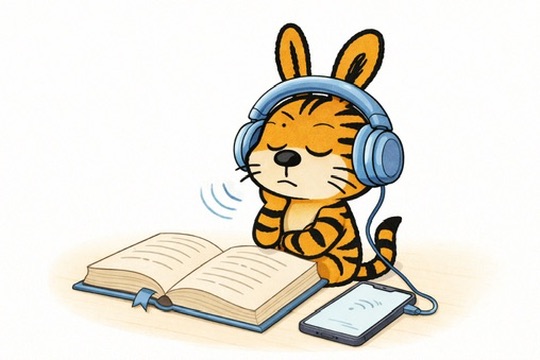
最近、朗読機能を使って本を読むことが、私にとって欠かせないものになってる
電子書籍で読む機会は増えたけど、iPhone や iPad の画面を長時間見続けるのが、だんだん辛くて、本読めなくなってきていたんだよね
目の疲れるし、ストレートネックの影響もあって、身体が耐えられなくなってきちゃって
一度、 Kindle を試してみたんだけど、目への光量の負担はかなり抑えられるんだけど、
操作時の反応速度がどうしてもストレスに感じられて、結局使うのをやめちゃった
この間、鍼の先生と話している中で朗読機能で本を読んでるって話をしたら、その存在を知らなかったらしい
実際、私たちの生活の中には便利な機能がいろいろあるのに、意外と気づかずに過ごしていることも多いのだと思って、今回ここで紹介してみた
Siri の読み上げ機能には、まだ誤読も多いけど、
それでも、目で文字を追い続けるよりはずっと楽だと思う
もし同じように、目の疲れや姿勢のことで読書が辛くなってきている人がいたら、一度試してみてね
Lately, using text-to-speech to read books has become essential for me.
As I read more digitally, spending long hours on my iPhone or iPad has started to feel physically difficult. My eyes get tired easily, and with my forward-head posture, it’s simply become too much for my body.
I did try using a Kindle at one point, but the slow response speed stressed me out, and I eventually gave up on it.
The other day, I mentioned text-to-speech features to my acupuncturist, and I was surprised to hear that they didn’t even know such a function existed. It made me realize how many useful tools are already part of our daily lives, yet often go unnoticed.
Siri’s reading still makes plenty of mistakes, but even so, it feels much easier than reading everything with my eyes. For me, it’s a much more comfortable way to take in books right now.
If you’re dealing with similar issues—eye strain, neck pain, or general discomfort while reading—it might be worth giving text-to-speech a try.
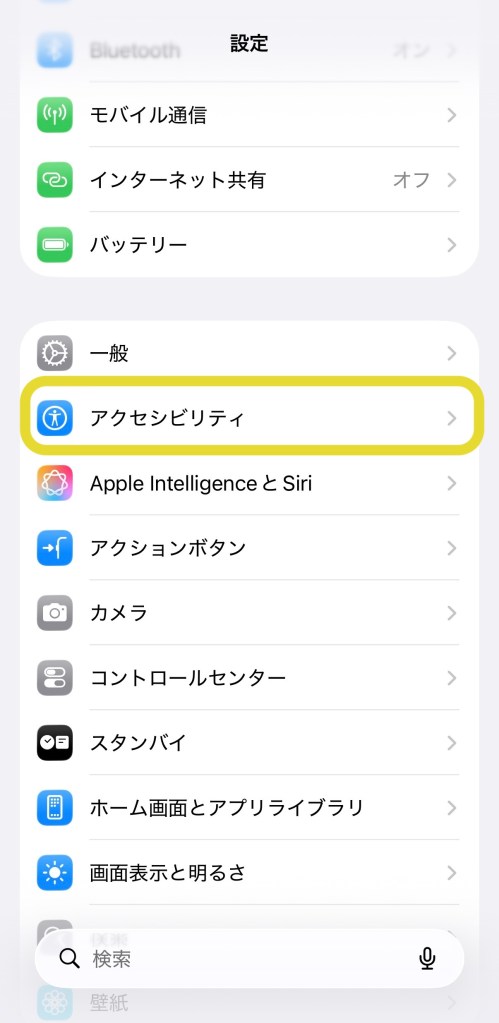
“アクセシビリティ / Accessibility”
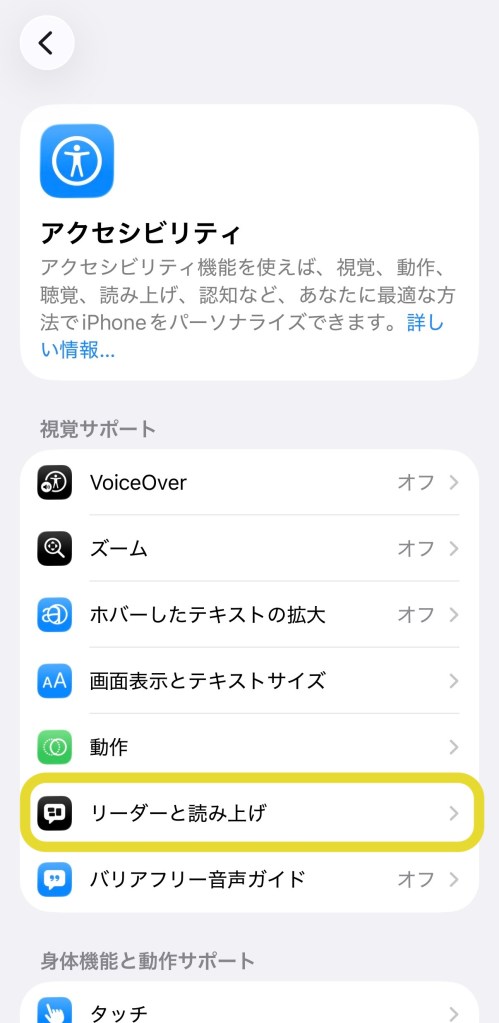
“リーダと読み上げ / Read & Speak”
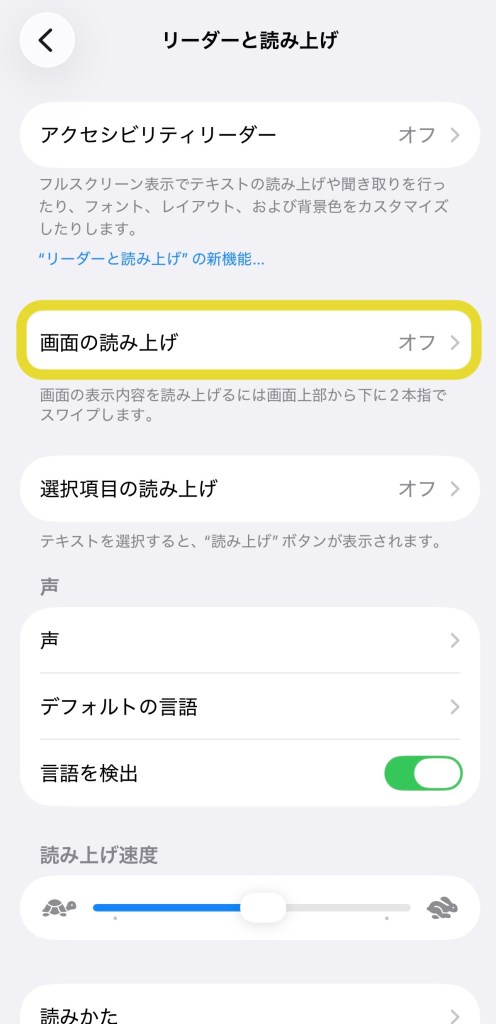
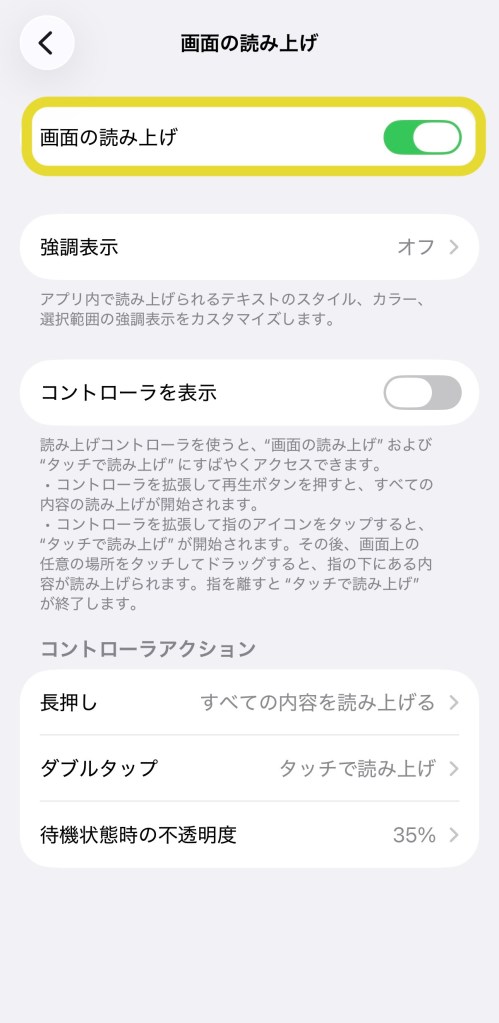
“画面の読み上げ / Text-to-Speech“
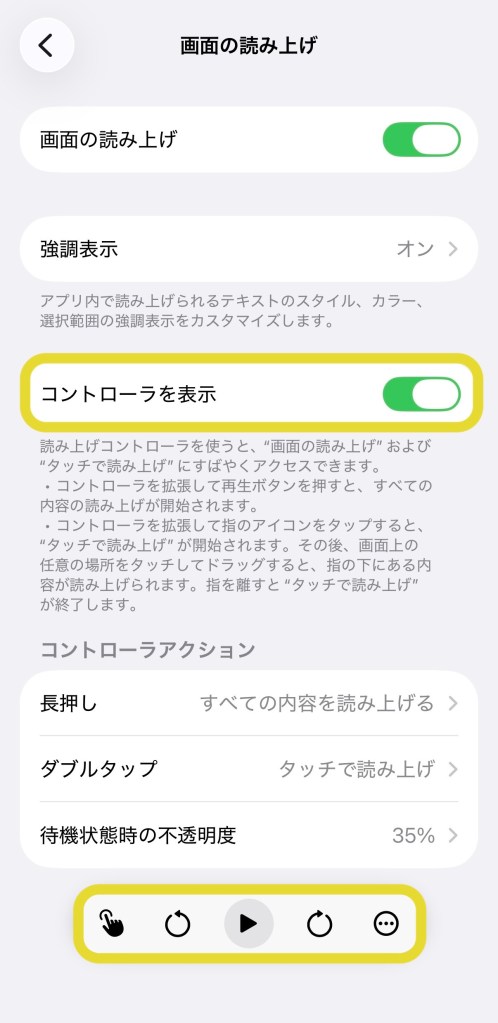
Turn on “コントローラーの表示 / Display Controller“
 ToraUsagi.net
Leave a comment